

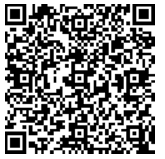
Synchronisation avec Ardary Box, envoi de SMS, gestion des contacts, suivi des clics et des journaux d'appels... Tout ce dont vous avez besoin pour une relation client idéale grâce aux API !

Obtenez TOUS les SMS professionnels de votre entreprise dans votre logiciel d'entreprise
Installez d'abord l'application gratuite Synchronizer sur votre téléphone portable.
					{
    "header": [
        {
            "accesskey": "YOUR_ACCESS_KEY",
            "login": "user@gmail.com",
            "sender_name": "ArdarySMS",
            "sender_mode": "1",
            "date_to_send": "2022-05-12 14:56:13",
            "priority": 1,
            "mode":"prod"
        }
    ],
    "messages": [
        {
            "id_sms_api": "09403292039020",
            "date_to_send": "2020-01-02 13:34:00",
            "phone_number": "+1XXXXXXXXXX",
            "message": "Hi Cassandra, can you confirm our appointement ? \n If you cannot come, lease inform me or change meeting date here [Link].",
            "url": "https://www.my-link.com"
        }
    ]
}
avec notre API, allez bien plus loin que le simple envoi de SMS et recevez des notifications de livraison.
Vous pouvez même créer votre propre logiciel SMS complet, avec l'envoi et la réception de SMS et avec nos outils professionnels de relation client par SMS.


Why our send SMS API is the most complete on the market?
It’s because a lot of options are given:
URL: https://www.ardary-sms.com/api/sendSms
Method: POST
Request Content-Type: application/json
JSON request data – name and value pairs description:
header:
object with ardary-sms request details; Value: JSON Object
login (required): Ardary login (email) of the ardary user to match name of the sender in the Ardary SMS box.
accesskey (required): YOUR_ACCESS_KEY
date_to_send (optional): message sending date
priority (optional): message priority Value: Number (0, 1, 2), Default value: 1 (0 : low, 1 : normal, 2 : high)
mode (optional): ‘prod’ (POST response & sends messages) or ‘test’ (POST response only).
messages:
List of sms to be sent. Value: JSON Array with sms JSON Objects:
phonenumber (required): recipient phone number (international format, ex.: +1XXXXXXXXXX).
message (required): message body. Important: if you want to add a tracking link you have to add “[Link]” at the right place in the body of the message.
url (optional): the link URL you want to track.
id_sms_api (optional): the Id you want to give to the message. Otherwise, we create one for you.
date_to_send (optional): message sending date (if given in header, this date … ).
Example of JSON object for sending SMS:
{
  "header": {
    "login": "your-email@example.com",
    "accessKey": "your-access-key"
  },
  "messages": [
    {
      "phone_number": "+33612345678",
      "message": "Hello from InSim API [Lien_Tracking]",
      "url": "https://example.com/",
      "priorite": 1,
      "date_to_send": "2025-10-29 10:16:10"
    },
    {
      "phone_number": "+33698765432",
      "message": "Test from API",
      "url": "",
      "priorite": 1,
      "date_to_send": "2025-10-29 10:16:10"
    }
  ]
}
Message delivery status is available by Callback URL
Enter your Callback URL in Ardary dashboard: Parameters > API
Status comes with GET response:
{
  "user": "SENDER_LOGIN",
  "phone_number": "+33612345678",
  "status": "received",
  "date_status": "2019-08-09T12:50:54.211Z",
  "id_sms_api": "YOUR_ID_SMS"
}
https://your-callback-url.com?status={ENCODED_JSON}
request(decodeURIComponent(status_url) + '?status=' + encodeURIComponent(message));
Incoming message is available by Callback URL
{
  "device_identification": "user@email.com",
  "title": "incoming_sms",
  "from": "+33612345678",
  "message": "Hello, this is a test message",
  "date": "2023-12-17T20:15:30.565Z"
}
https://your-callback-url.com?message={ENCODED_JSON}
request(decodeURIComponent(callback_url) + '?message=' + encodeURIComponent(message));
Clicked link tracking is available by Callback URL
Enter your Callback URL in Ardary dashboard: Parameters > API
Click link tracking comes with GET response:
   {
  "id_sms_api": "Pf7v16XZ38oT02s",
  "title": "clicked link",
  "phone_number": "+33612345678",
  "link": "https://beautifier.io/",
  "date": "2022-11-12 17:04:13"
    }
https://your-callback-url.com?clics={ENCODED_JSON}
request(decodeURIComponent(link_url) + '?clics=' + encodeURIComponent(message));
Incoming, outgoing, and missed calls are available by Callback URL
Enter your Callback URL in Ardary dashboard: Parameters > API
Incoming calls come with GET response:
Outgoing Call:
{
  "device_identification": "user@email.com",
  "title": "outgoing_call",
  "phone_number": "+33612345678",
  "call_time": "2023-12-17 20:32:51",
  "duration": "0"
}
Incoming Call:
{
  "device_identification": "user@email.com",
  "title": "incoming_call",
  "phone_number": "+33612345678",
  "call_time": "2023-12-17 20:32:51",
  "duration": "15:11:04"
}
Missed Call:
{
  "device_identification": "user@email.com",
  "title": "missed_call",
  "phone_number": "+33612345678",
  "call_time": "2023-12-17 20:32:51",
  "duration": "0"
}
https://your-callback-url.com?calls={ENCODED_JSON}
request(decodeURIComponent(call_url) + '?calls=' + encodeURIComponent(message));
CALL QUALIFICATION is available by Callback URL
Example using PHP
Here is an example of response:
{
  "device_identification": "user@email.com",
  "title": "call_qualification_from_mobile",
  "from": "+33612345678",
  "date": "2023-12-17 23:57:52",
  "qualification": "Customer interested in product X"
}
{
  "device_identification": "user@email.com",
  "title": "call_qualification_from_interface",
  "from": "+33612345678",
  "date": "2023-12-17 23:57:52",
  "qualification": "Follow-up required"
}
https://your-callback-url.com?qualification={ENCODED_JSON}
request(decodeURIComponent(qualification_url) + '?qualification=' + encodeURIComponent(message));
In order to synchronize your business software contacts in Ardary SMS for an easy reading of the messages in Ardary SMS.
Example using PHP
Here is an example of response:
{
  "device_identification": "user@email.com",
  "title": "call_qualification_from_mobile",
  "from": "+33612345678",
  "date": "2023-12-17 23:57:52",
  "qualification": "Customer interested in product X"
}
{
  "device_identification": "user@email.com",
  "title": "call_qualification_from_interface",
  "from": "+33612345678",
  "date": "2023-12-17 23:57:52",
  "qualification": "Follow-up required"
}
https://your-callback-url.com?qualification={ENCODED_JSON}
request(decodeURIComponent(qualification_url) + '?qualification=' + encodeURIComponent(message));
Toute votre relation client dans votre outil de gestion quotidienne grâce à ardary InSim
2WS TECHNOLOGIES est une start-up française dédiée aux nouveaux moyens de communication et aux technologies de la relation client.
Le SMS reste le meilleur moyen de communication pour tous. C’est dans cette optique que notre équipe jeune et dynamique a conçu Ardary inSIM : la solution de SMSing la plus récente et la plus complète au monde.